
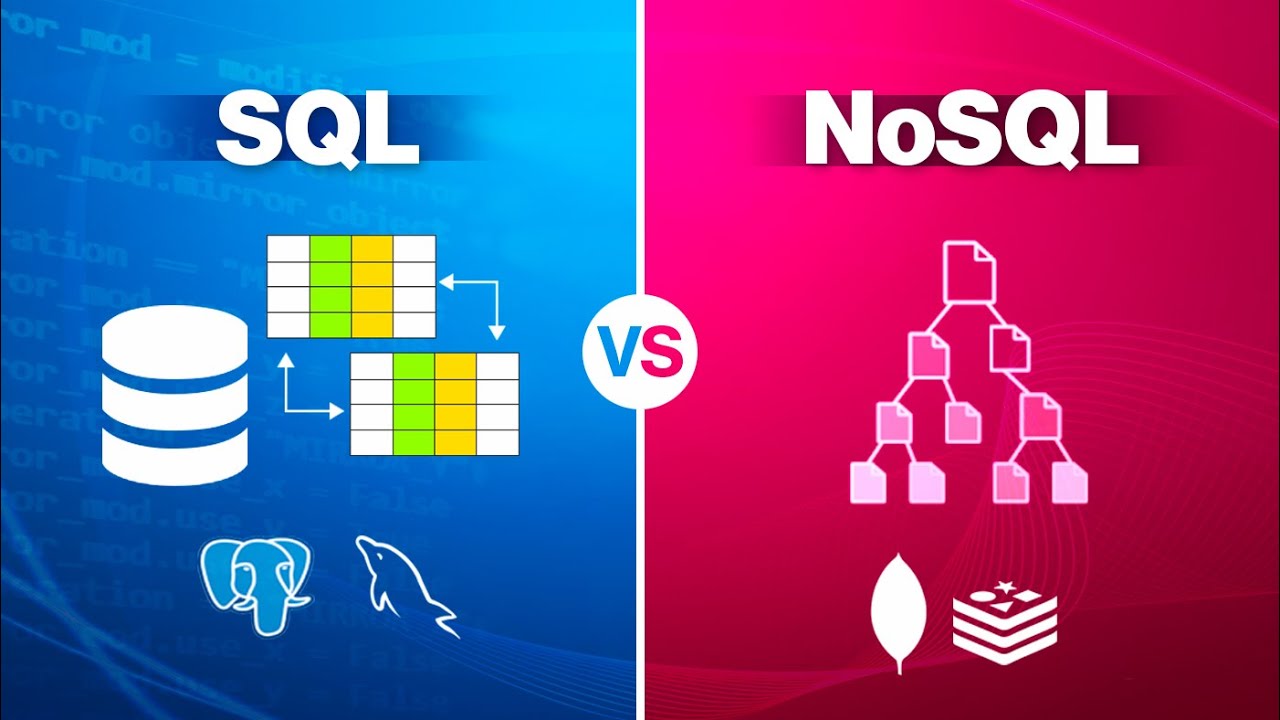
Picking a database often comes down to SQL versus NoSQL – each built for separate needs. Though both handle data strongly, their strengths show up in different situations. Knowing which to use isn’t just textbook stuff – it shapes speed, growth, and control in real apps. Performance bends on this choice, quietly guiding results behind the scenes.
Picture this. A look at SQL versus NoSQL through everyday situations, skipping textbook talk. Think hands-on examples rather than labels. Real tasks shape how each fits. See where one works better than the other. Not theory – actual needs guide the choice.
Table of Contents
What is SQL?
Tables make up SQL databases, organizing information into rows alongside columns. These systems rely on clear links connecting separate tables. Known as relational, they follow a long-standing method for managing data.
Every bit of information sits neatly arranged inside SQL setups. Take a customer list – it connects to order records through a special code. Because things line up so precisely, checking details across sets works without hiccups. Queries that seem tangled at first unfold smoothly thanks to this layout.
When it comes to keeping data precise and neatly arranged, SQL databases show up most often. Banking setups rely on them just as much as big company tools do. Financial apps depend on their orderliness instead of speed or flexibility.
What is NoSQL?
Most NoSQL systems work well with messy or loosely organized information. Rather than relying on rigid rows and columns, these stores hold details inside structures like JSON-style items, identifiers with matching values, even network-like links between points.
Because it bends easily, folks who build apps can tuck away all kinds of info without rigid formats. Often found powering today’s websites, chat-heavy services, and live-updating tools where details shift fast.
Scaling up comes naturally, particularly when massive amounts of data enter the picture.
How SQL and NoSQL Differ
What sets them apart? It is how they are built, plus how much room there is to shift. One kind locks you into a plan ahead of time – every detail shaped before anything goes in. The other opens up space to evolve, letting form bend as needs grow. Structure here stays rigid; there, it breathes.
When it comes to organized information with deep connections, SQL handles things well. On the flip side, when data shifts often, grows quickly, or resists fixed formats, NoSQL steps in naturally.
Performance and Scalability
Scaling up SQL databases usually means boosting server power – better CPU, more RAM – for stronger performance. That setup fits midsize apps just fine. When systems grow huge, though, bigger machines start burning holes in budgets.
Spreading across many machines comes naturally to NoSQL databases – stack on extra servers when demand climbs. Perfect fit for apps slammed by millions, like video streams or social networks buzzing nonstop.
Examples of SQL in Everyday Applications
When it comes to handling information that must stay precise, SQL databases show up often. Think of banks – they depend on these systems to keep every money movement correct. A tiny mistake might lead to big problems, which is why organized data setups matter. Because accuracy cannot bend, structure becomes non-negotiable.
Because data connections matter, e-commerce sites rely on SQL databases to handle purchases, stock levels, and transactions while keeping everything accurate. Yet consistency stays central when tracking how records link across systems.
Examples Where NoSQL Is Used
These days, lots of apps choose NoSQL when they need fast performance without rigid rules. Think social networks – they handle endless uploads such as photos, messages, or replies using these flexible systems.
Faster updates flow through messaging and games since they lean on NoSQL when things shift by the second. Instant handling matters most where delays break function.
When it comes to processing huge volumes of messy, unorganized information, big data setups often rely on NoSQL. These tools manage the load without slowing down. Efficiency kicks in where traditional methods struggle.
When To Use SQL?
Start with SQL if your information fits clear patterns and links matter. When the app needs solid accuracy, intricate searches, or stable operations across changes, go for SQL instead.
For setups where information stays mostly steady, this option works well while keeping precision intact always.
When to Use NoSQL?
When apps must manage huge volumes of fast-shifting information, NoSQL often works best. Should rigid formats matter less than adaptability, quick performance, then pick NoSQL instead. Though consistency matters sometimes, here speed wins. Structure fades in importance when change happens too fast. With growing demands, scaling easily becomes key – this is where it shines.
For today’s apps – think social platforms or live data tracking – it fits right in. Cloud setups benefit just as much.
Combining SQL and NoSQL Approaches?
Most actual projects mix things up. Companies rarely pick only one option. Depending on what’s needed, databases stack SQL beside NoSQL. The task shapes the tool.
A single online store could run SQL to handle purchases and transactions, yet switch to NoSQL when logging what users click or suggesting items. Mixing these tools lets the system use each one where it works best.
Final Thoughts
One handles fixed patterns, the other adapts on the fly. Where strict order matters, traditional databases hold firm. Loose formats thrive differently – speed often leads there instead. Rigidity works when answers need certainty. Loosely shaped data stretches beyond rigid rows. Each fits where it belongs, neither aiming to replace the other.
Whatever fits your project best is what matters most. Knowing each tech well can really set you apart if you build things or work with data.
When apps get trickier, picking between SQL, NoSQL, or mixing them shapes how well things run. Because today’s software demands smart choices, using the right database type matters more than ever.
Also Check Shift from Excel to databases – Super Guide – 2026