
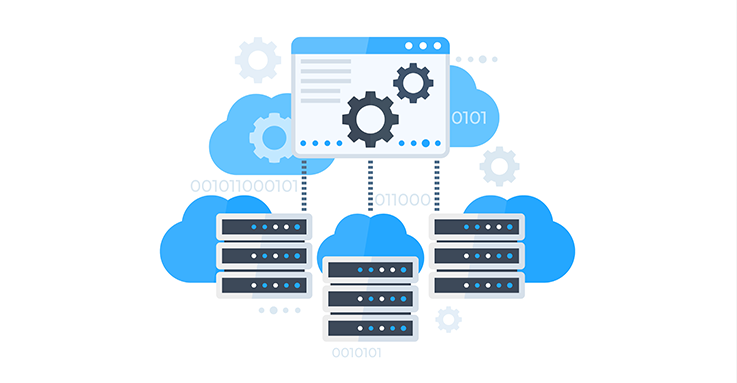
Most things online now run through remote servers instead of local machines. Whether checking a weather app or using company tools at work, chances are it connects to data stored far away. Grasping this setup means looking under the hood – seeing where info travels, how structures hold up demand, and when certain setups fit specific needs better than others.
Starting off, this guide breaks down cloud computing using everyday ideas you can actually picture. Not too fancy, just clear steps built on how things really work out there. Each part connects smoothly, like pieces fitting without force. Real examples lead the way instead of vague theories. The whole thing stays grounded, never drifting into nonsense talk. It flows naturally, almost like a conversation that makes sense. Picture it: nothing stretched thin, only what matters shown plainly.
Table of Contents
How Cloud Computing Works
Out there beyond your computer sits a whole world of machines working hard. From faraway places they send power through wires you never see. Machines hum with stored data waiting to be used. Connections form pathways where information moves fast. Software lives online ready whenever someone needs it.
The basic working process is:
Out of reach but close at hand – data moves when someone uses software or a web page. Over cables and airwaves it travels, skipping toward a distant machine in a faraway building. Once there, the moment shifts: work begins without pause. A quiet calculation happens inside metal walls. Back comes the answer, riding the same invisible paths, landing where it started.
Seconds pass before it finishes, so speed shows up through how cloud systems work. Efficiency slips in quietly alongside.
Cloud Computing Architecture
On top of layers, cloud computing runs, linking people and machines without hiccups. Each level plays its part quietly, holding up interactions you barely notice.
- Frontend (Client Side)
This screen lets people work with online tools. Through it, folks reach storage, apps, software – everything hosted far away on servers they don’t see. Features show up here so tasks get done without needing local machines
Web browsers
Mobile apps
Desktop applications
Requests leave the frontend headed for the cloud system.
- Backend (Cloud Infrastructure)
Inside here, every bit gets worked on across the web’s backbone. What you’ll find:
Servers
Databases
Storage systems
Virtual machines
The backend handles data processing and storage.
- Cloud Network
Built right into how systems talk, this piece links what users see with what runs behind the scenes. When information moves, it travels without leaks or slowdowns across networks.
Cloud Computing Service Types
One way to look at cloud computing breaks it down into three core types of services
Infrastructure as a service
Cloud platforms offer raw tools such as simulated computers, space for data, alongside connection features. With these, people create and run custom setups themselves.
Example:
AWS EC2 and Google Compute Engine
Platform as a service
A workspace ready for coding shows up when PaaS steps in. Developers start creating, checking work, then sharing apps right away instead of setting up servers. Tools just appear as needed behind the scenes.
Example:
Cloud platforms for app deployment
Software as a service
Out on the web, ready-to-use apps show up through SaaS. These tools work straight away without setup. Access happens online, no downloads needed. Functionality comes complete from the start. The service handles everything behind the scenes.
Example:
Google Drive Gmail Netflix
Cloud Computing Deployment Models
Services come through cloud computing in various ways, depending on where they’re hosted. Sometimes the setup is private, meant for just one group. Other times it’s public, open to anyone online. A mix of both happens too – private parts linked with shared systems. How it works changes with who uses it and why.
Public Cloud
Out here on the web, public clouds spread resources across many people at once. Because costs stay low, lots tend to pick them for everyday tasks.
Private Cloud
A single group gets its own private cloud setup. Because of tighter safeguards plus full oversight, handling confidential information works better here.
Hybrid Cloud
Clouds mix together when one uses both public and private setups at once. Flexibility meets tighter controls without tipping too far either way. The setup shifts as needs change, quietly adjusting behind tasks.
Cloud Computing in Everyday Use
Most online tools we use every day run on cloud computing. Take email or streaming platforms – they work because of it
- Netflix uses cloud servers to stream videos globally
- Google Drive stores and syncs files across devices
- Running on vast networks, Instagram stores data across remote servers.
- Facebook handles countless profiles through similar digital setups.
- These platforms rely on distributed computing to keep everything running smoothly. Instead of local machines, they access information from faraway centers. Billions interact daily thanks to behind-the-scenes infrastructure. Services stay online because resources spread out globally
- Running on remote servers, online banking handles money transfers safely. These digital setups protect data during exchanges. Web-based tools manage payments through distributed networks. Security measures guard financial activity in virtual environments. Stored off-site, records stay protected while people bank remotely
- E-commerce platforms use cloud computing for inventory and order management
- From streaming music to saving photos, life runs on remote servers without most people noticing. Hidden systems keep things moving whether checking maps or sending messages. Much of what feels instant relies on distant data centers working quietly behind the scenes.
Better Access To Technology Over The Internet
Cloud computing offers several advantages that make it essential in modern technology:
- Reduces cost by eliminating physical hardware
- Provides scalability based on demand
- From any spot on Earth, it opens up. Wherever you are, connection happens. No matter the country, entry stays possible. Across borders, reach remains steady. Even far away places work just fine
- Improves data backup and recovery
- Increases speed and performance
- Cloud computing fits well with what people need, whether they’re just starting out or running a big company, because it adapts easily to different situations. What matters most is how flexible it turns out to be when used day to day.
Cloud Computing Challenges
Even so, cloud computing isn’t free of drawbacks. Still, it comes with certain constraints. On the flip side, there are hurdles to consider. Yet, a few downsides exist alongside the benefits. However, it carries specific challenges too
- Requires stable internet connection
- Some situations bring up worries about keeping data private
- Dependence on third-party providers
- When outages happen – though they’re uncommon – service might pause briefly
- Still, today’s cloud services keep upgrading safety plus dependability so problems happen less often.
Final Thoughts
Out there beyond the servers, cloud computing keeps changing how we handle data every day. Instead of being stuck on one machine, information floats across networks, ready when needed. Through it, people get room to grow their projects without buying extra hardware. For companies, tasks once slow now move faster, thanks to shared resources spread worldwide.
Cloud computing might seem complex, yet breaking down how it functions helps anyone start in tech. Its structure along with different ways it delivers services forms a base worth knowing. Growth never stops here – expect more ties to AI, building websites, and large company operations. The way these systems connect shapes what comes next.
Also Check AWS and DigitalOcean Compared for 2026?